


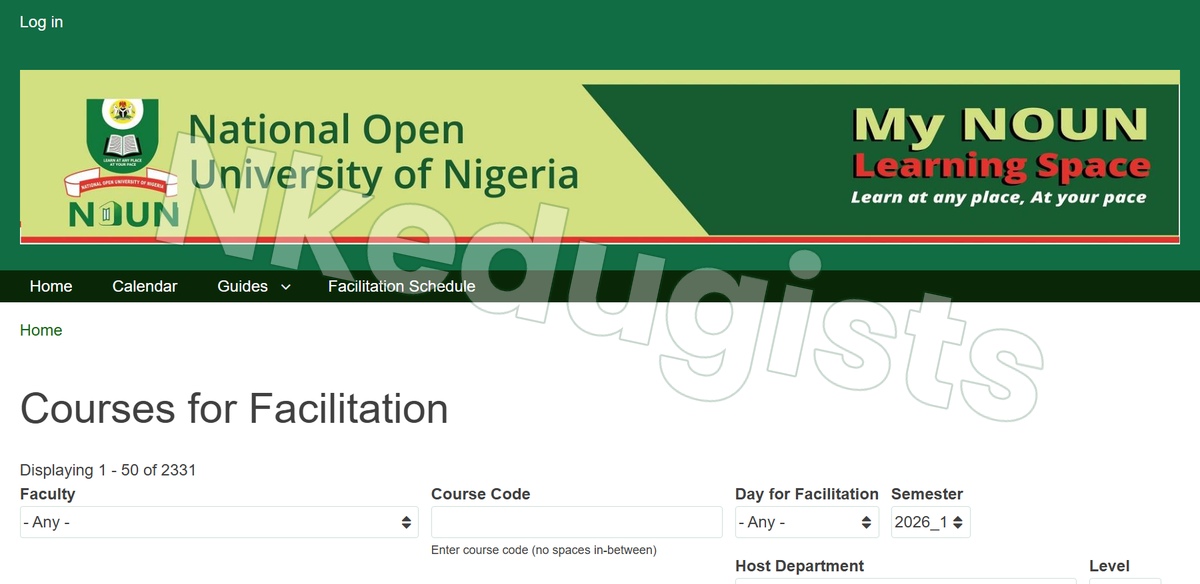
The NOUN e-clearance procedure is the process students must complete at their study centres before taking their semester examinations. It involves submitting an examination clearance form, presenting the required documents and verifying payment records with the study centre’s bursary office.
The National Open University of Nigeria (NOUN) has a published procedure for examination clearance. Below are the steps students should follow, the documents to prepare and what happens after submitting the form.
How Do I Complete the NOUN E-Clearance Procedure?
To complete NOUN examination clearance, visit your study centre, collect the semester clearance form from your faculty officer, attach your passport photograph and submit the required documents for verification.
NOUN’s Study Centres Standard Operating Procedure gives the following steps:
- Visit your study centre: Report to the faculty officer responsible for your programme and request the examination clearance form for the current semester.
- Complete the clearance form: Fill in the required information and attach a recent passport photograph.
- Submit your supporting documents: Present the relevant documents required for examination clearance to the faculty officer.
- Allow document verification: The faculty officer will check your documents to confirm that they meet the clearance requirements.
- Verify your payments: The faculty officer will refer you to the study centre’s Bursary Office to cross-check your Remita payments and other applicable payments.
- Confirm your clearance: After the necessary checks, the study centre processes the examination clearance and records the clearance slip electronically in the student portal and NOUN database.
These are the steps stated in NOUN’s published Study Centres Standard Operating Procedure. The university allows up to 15 days for the examination clearance activity in the procedure.
What Documents Do I Need for NOUN Examination Clearance?
You need a completed examination clearance form, a passport photograph and the relevant academic and payment documents requested by your study centre.
Prepare the following before visiting your faculty officer:
- Completed NOUN examination clearance form.
- Recent passport photograph to attach to the form.
- Current semester course registration slip.
- Current semester examination registration slip.
- Remita receipts or other applicable payment evidence.
Your study centre may request additional documents depending on your student record and the current examination instructions. Confirm its checklist before submitting your documents.
Do not submit an old semester’s payment slip as proof of current payment. Make sure the receipts you provide relate to the payments being checked for the current semester.
How Do I Print My NOUN Course and Examination Registration Slips?
You can access your course and examination registration records through the NOUN student portal.
Follow these steps:
- Visit the NOUN student portal.
- Sign in with your matriculation number and password.
- Open the course registration section.
- Select the option to view your course registration slip.
- Print or save the slip for your records.
- Return to the courses section and select the examination registration option to check the courses registered for examination.
NOUN’s student portal instructions also explain how to check payment status using the Remita Retrieval Reference (RRR) on your receipt. Sign in, select Check payment status, enter the RRR and click Check. If the payment is confirmed, the option to view the payment receipt will appear.
Keep copies of these records because your faculty officer and bursary office may need them during clearance.
Can I Submit My NOUN E-Clearance Form by Email?
NOUN’s published Study Centres Standard Operating Procedure does not establish email submission as the standard clearance method for every study centre.
The electronic clearance exercise in 2020 required students to scan their completed forms and supporting documents and send them to their study centre email addresses. That was a specific arrangement for the examination period in 2020.
For current examinations, contact your faculty officer to confirm whether your study centre accepts email submissions or requires you to submit the form in person.
Do not send your personal documents to an email address copied from an old article without confirming that it is still authorised by your study centre.
What Happens After I Submit My NOUN E-Clearance Form?
After you submit your form, the faculty officer checks your supporting documents and refers you to the Bursary Office to verify your Remita payments.
Once the necessary checks are completed, the study centre records your examination clearance electronically in your student portal and the university’s database.
NOUN’s procedure also provides for the study centre to maintain a list of students cleared for each examination semester.
If you have submitted your documents but cannot confirm your clearance, contact your faculty officer and ask whether your payment verification or document checks are still outstanding.
Can I Add or Drop Courses After NOUN Examination Clearance?
You should not add or drop courses after completing examination clearance without first contacting your study centre.
In an August 14, 2026 report, the Director of NOUN’s Port Harcourt Study Centre instructed faculty desk officers to warn students against changing registered courses after clearance for the 2026_2 examinations.
She explained that such changes could invalidate the clearance and cause difficulties with examination script submission.
This is an important warning for students: check your course registration and examination registration carefully before completing clearance. If you discover an error afterwards, ask your faculty officer how to correct it.
What Identification Do I Need for NOUN Examinations?
Students should have their NOUN identity cards or another means of identification accepted by their study centre.
NOUN’s Port Harcourt Study Centre reminded students preparing for the 2026_2 examinations to obtain their identity cards. The centre also warned that students without acceptable identification would not be allowed into examination halls.
Confirm the identification requirements with your own study centre before examination day.
What Should I Do If My NOUN E-Clearance Is Delayed?
If your NOUN examination clearance is delayed, contact your faculty officer and ask which document, payment or verification step is still outstanding.
You can take the following steps:
- Check that your current semester registration is complete.
- Confirm that you have registered for the courses you intend to write in the examination.
- Check your Remita payment status on the student portal.
- Confirm that the faculty officer has received your clearance form and supporting documents.
- Ask the bursary office whether your payment records have been verified.
- Follow up with your study centre until your clearance status is confirmed.
If your study centre cannot resolve the issue, raise an enquiry through NOUN Student Support Services.
Always use contact information published on NOUN’s official website or confirmed by your study centre.
Nkedugists will continue to provide useful NOUN updates and information to students. However, always confirm your examination clearance requirements with your study centre before submitting personal documents or making payments.

2 Comments
How do i know when to sit for this forth coming E-exam and POP
Contact the number of Emperor which is given.